Built for people with a lot of servers
The parts of Remote Desktop you use all day, kept. The parts that slow you down, fixed.
Sessions in tabs
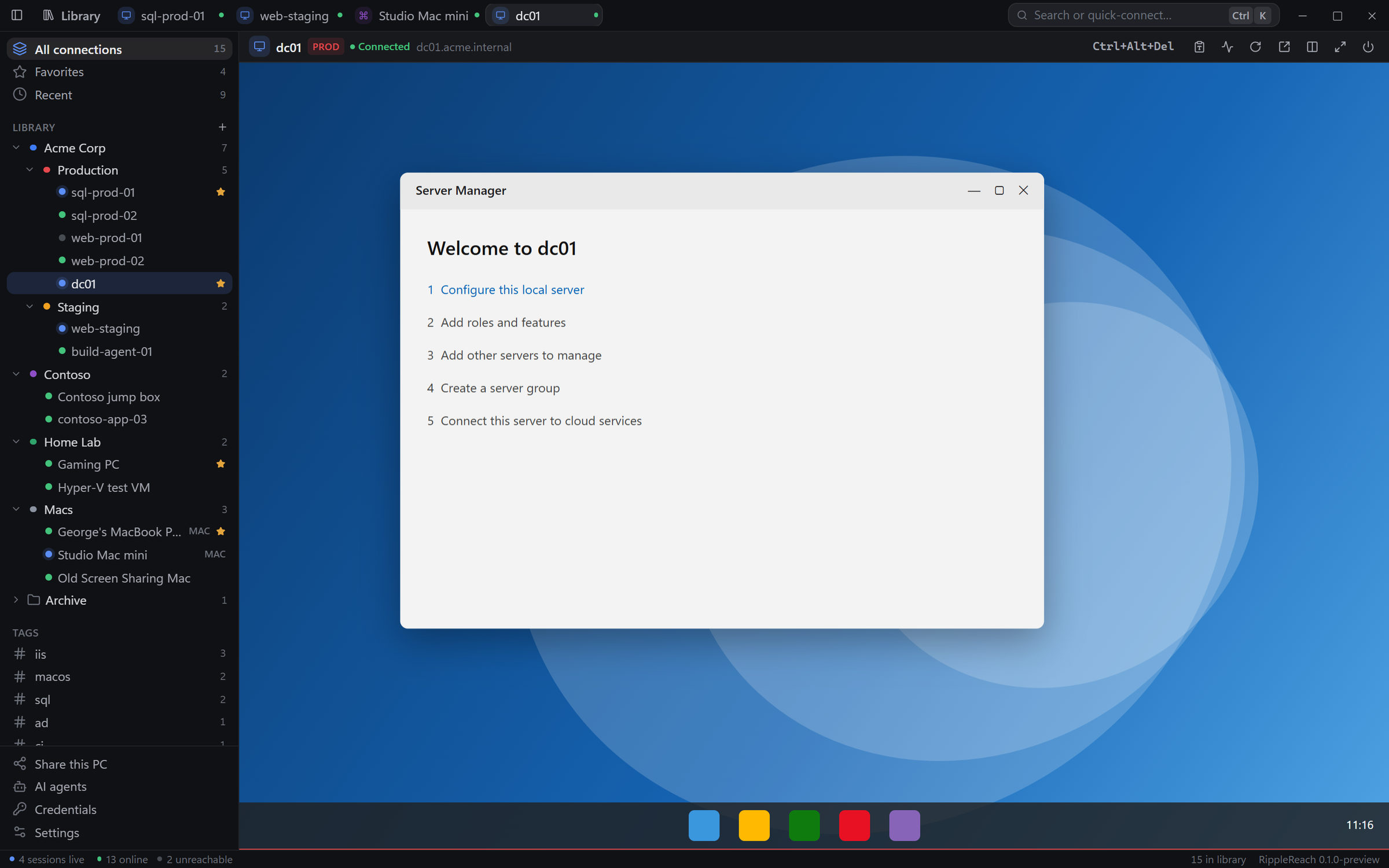
Every session opens in a tab, and the library keeps a last-seen thumbnail of each one. Drag a tab out into its own window and move it to another screen.
Full resolution on any monitor
Windows sessions follow the window size, so the remote desktop is always your screen's full resolution. Resize the window and the desktop resizes with it.
The shortcuts you already know
Full screen works like Remote Desktop Connection: Ctrl+Alt+Enter, Pause or F11. Ctrl+Alt+Home gives your keyboard back.
Passwords stay in your OS vault
Credentials live in Windows Credential Manager or the macOS Keychain, never in RippleReach's files. Backups export to JSON without secrets.
Its own RDP engine
Built on IronRDP, in Rust. H.264 on Windows, bitmap codecs everywhere, dynamic resize and auto-reconnect. Shared clipboard, with files on Windows and plain text on Mac.
Certificates checked once, then pinned
The first connection shows the certificate's SHA-256 fingerprint. RippleReach remembers it and warns you if it ever changes.
Set it on the folder. Every server inherits it.
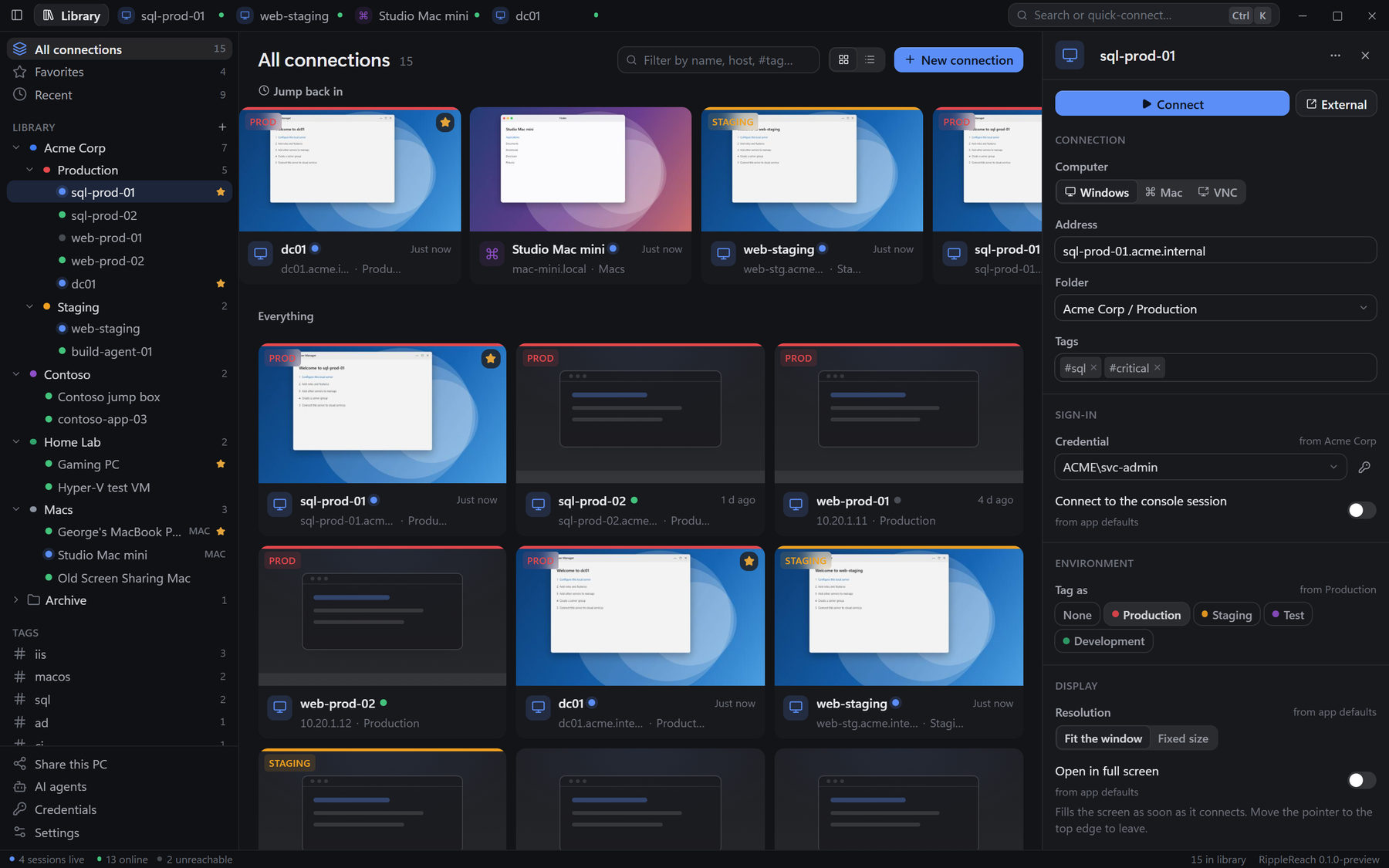
Put the credential on "Acme Corp" and every connection inside uses it. Settings flow from app defaults to folders to the connection, and the inspector shows where each value comes from, so nothing is a mystery.
- Folders, tags, favorites and recents, with filtering
- Card and list views, and a folder tree you rearrange by dragging
- PROD, STAGING, TEST and DEV frames, so you always know where you are typing
Ctrl+K to anything
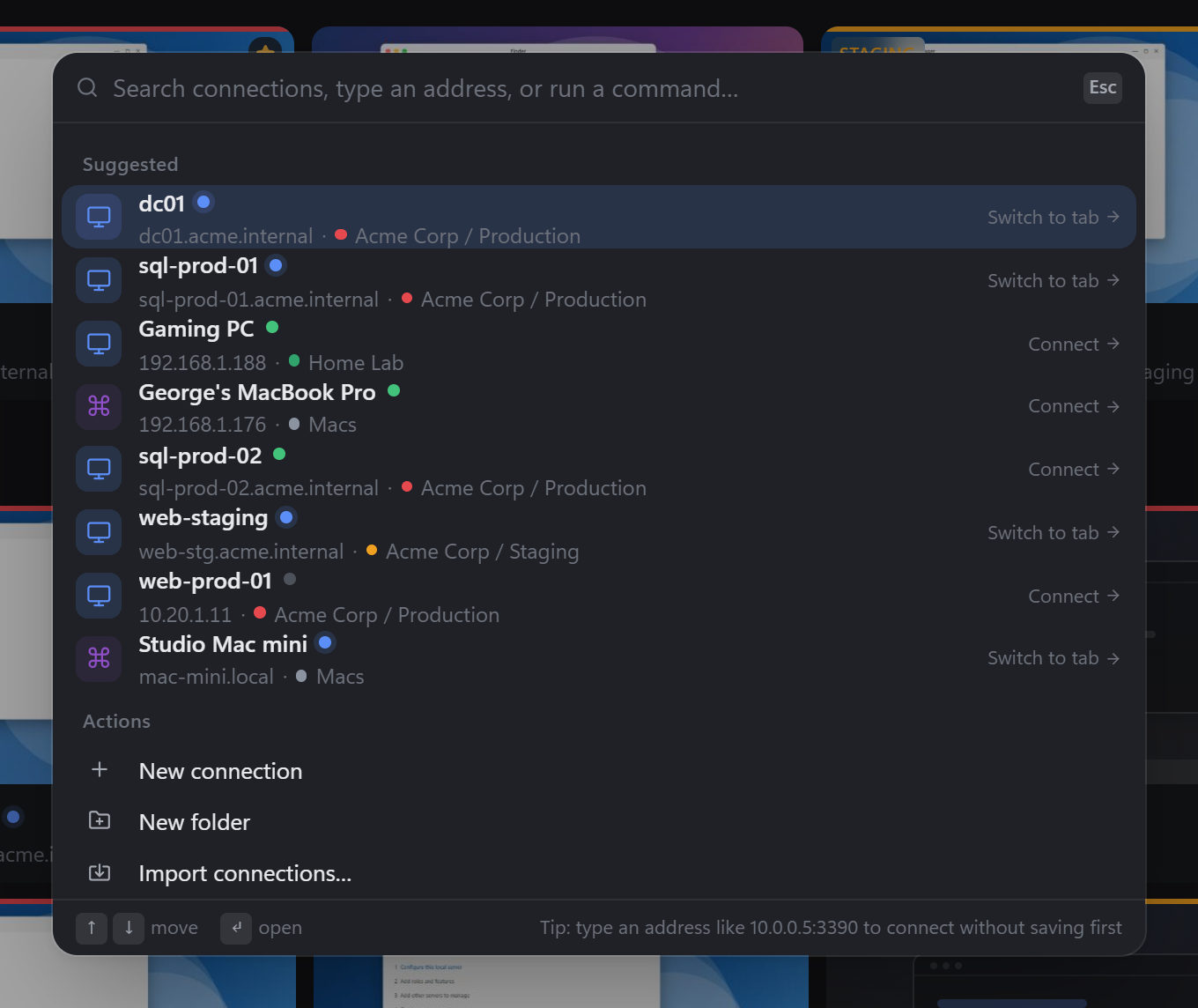
Press Ctrl+K, or ⌘K on a Mac, and type a name, a host or an address. Enter connects. If the session is already open, it switches to that tab instead of opening a second one.
- Quick-connect to an address you haven't saved yet
- New connections, import, settings and more, one search away
- Shows which computers are online before you pick one
Bring the connections you already have
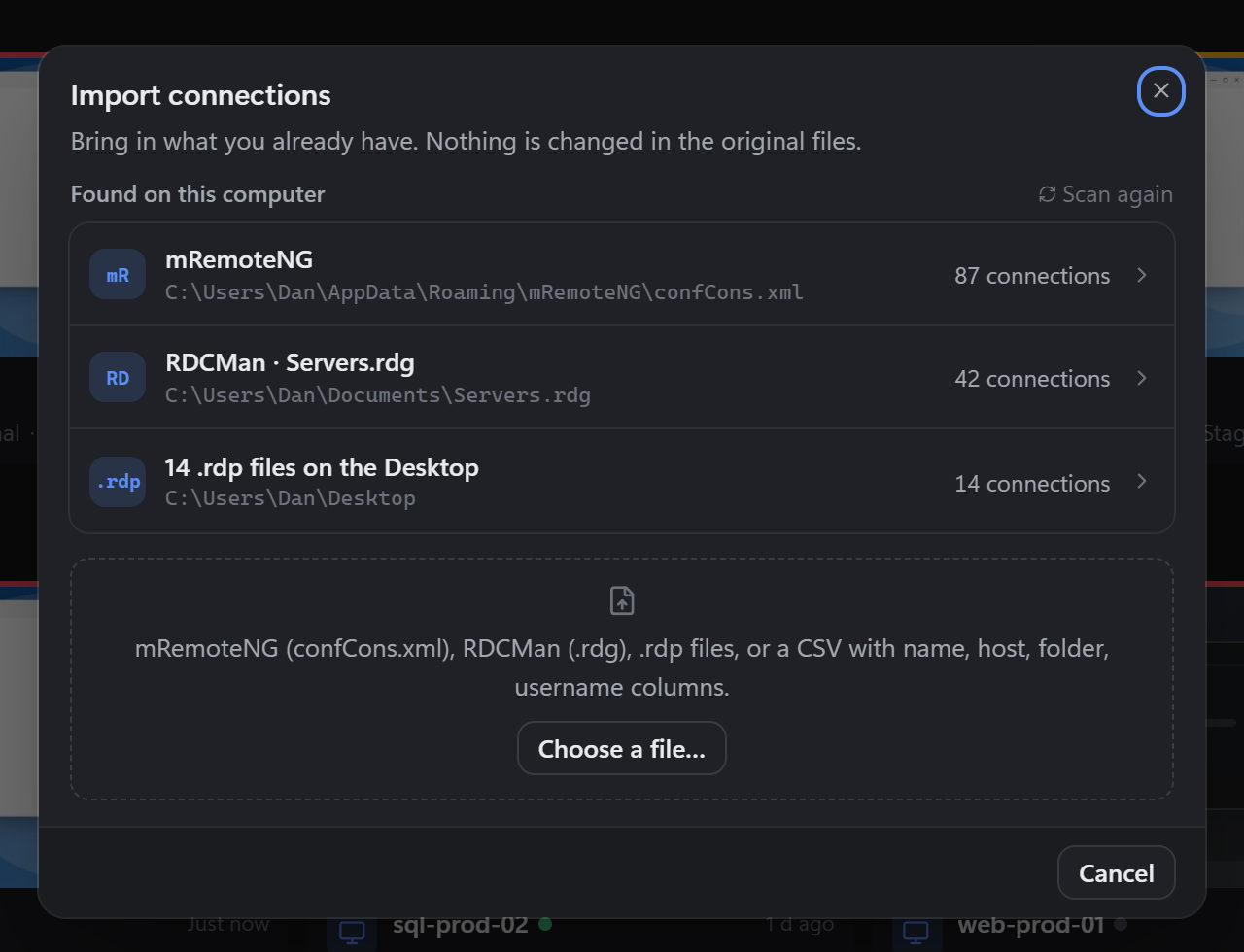
Moving to a new tool shouldn't mean retyping two hundred hostnames. RippleReach looks for RDCMan, mRemoteNG and .rdp files on your computer and imports them with their folders. The original files are left alone.
- Microsoft RDCMan
.rdg, including inherited credentials - mRemoteNG
confCons.xml, including encrypted files .rdpfiles, including DPAPI-protected passwords on Windows- CSV, or drag any of these straight onto the window
Control your Macs, too
Macs don't speak RDP. RippleReach Host, which ships inside the Mac app, teaches them. Then any computer with RippleReach, or any other Remote Desktop app, can sign in.
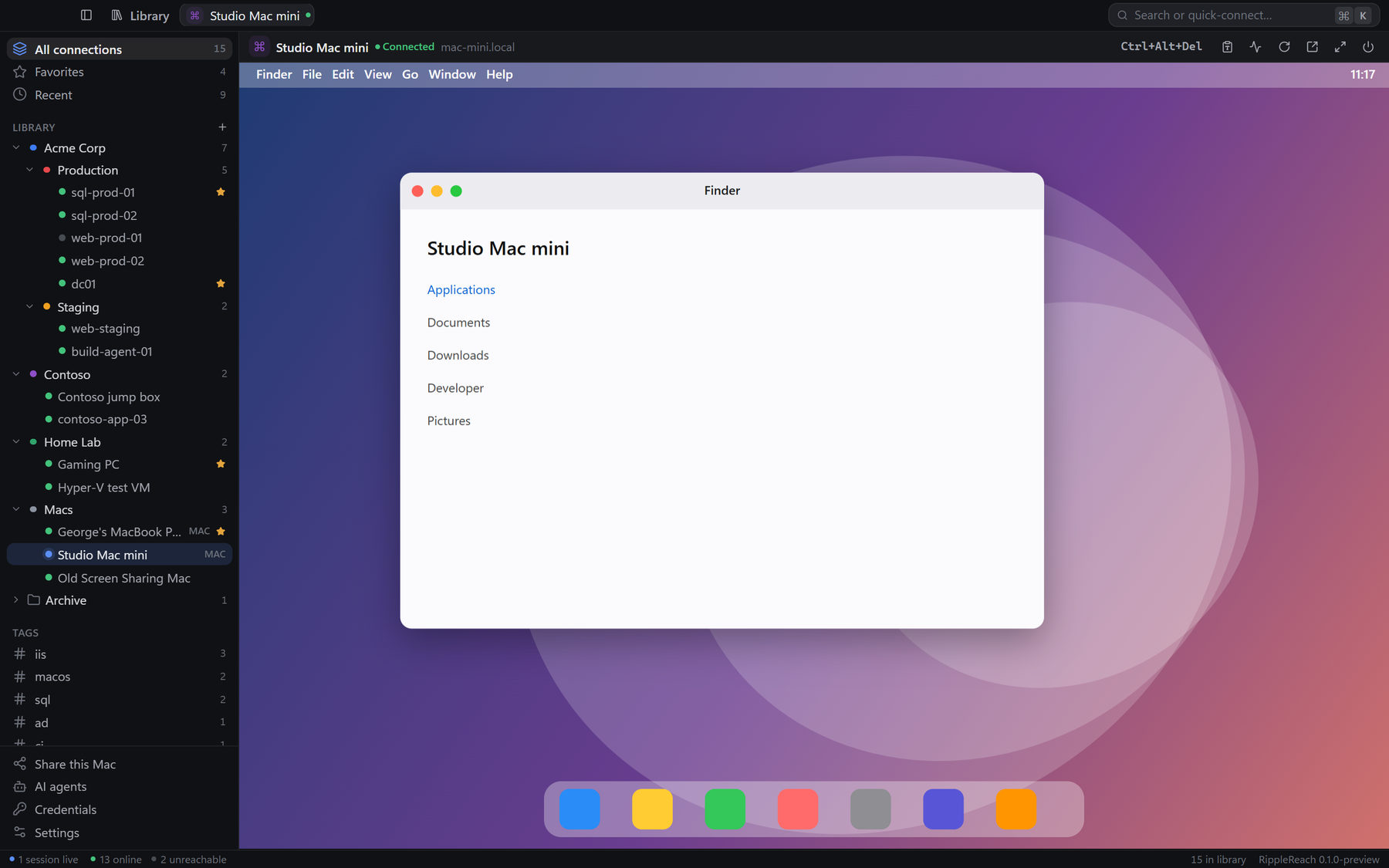
A Mac desktop sized to your screen
Choose "own desktop" and the Mac creates a display that matches your screen while you're connected, then puts everything back when you leave. Or mirror the Mac's own screen. You pick per connection.
- H.264 at the Mac's native resolution, up to 60 fps
- Decoded on the viewing computer's graphics card
- Tested at 3440×1440 on an ultrawide, at around 54 fps
- Macs on your network show up on their own, over Bonjour
Share this Mac in three steps
No terminal and no config files. Open Share this Mac and follow the checklist. Each step turns green when it's done.
- Works with RippleReach or any other Remote Desktop app
- Shows the address to connect to and the certificate fingerprint to check
- Choose what people see: the Mac's own screen, or a desktop sized to theirs
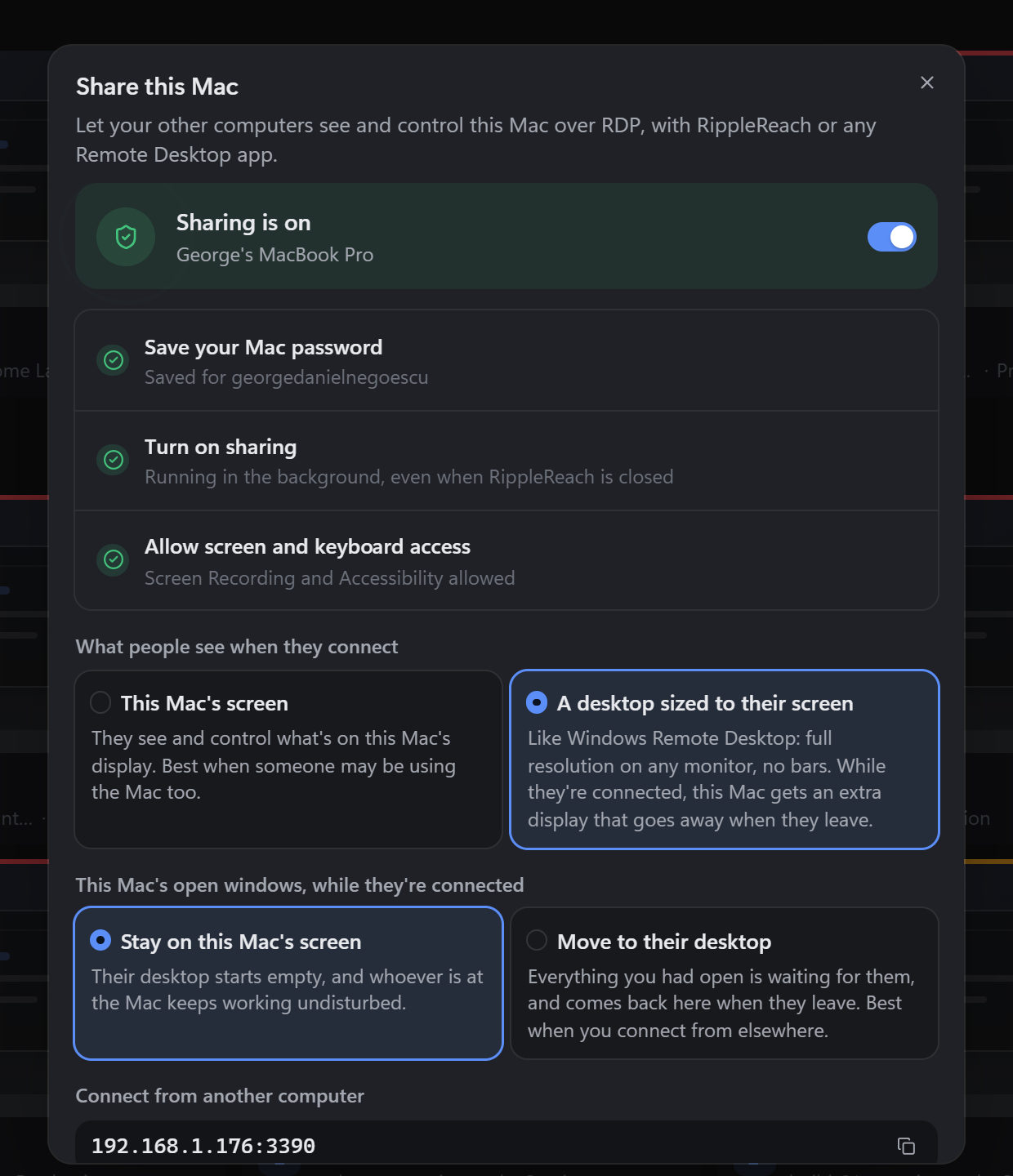
Save the Mac password
It's checked, then kept only in the Keychain. Whoever connects signs in as that Mac account.
Turn sharing on
RippleReach Host runs in the background, even when RippleReach itself is closed.
Allow screen and keyboard
Grant Screen Recording and Accessibility in System Settings. Needs macOS 14 or later.
On a Windows PC? Share this PC.
One step turns on Windows' own Remote Desktop, with Network Level Authentication and the firewall rule, then shows the address and account to use. Needs Windows Pro.
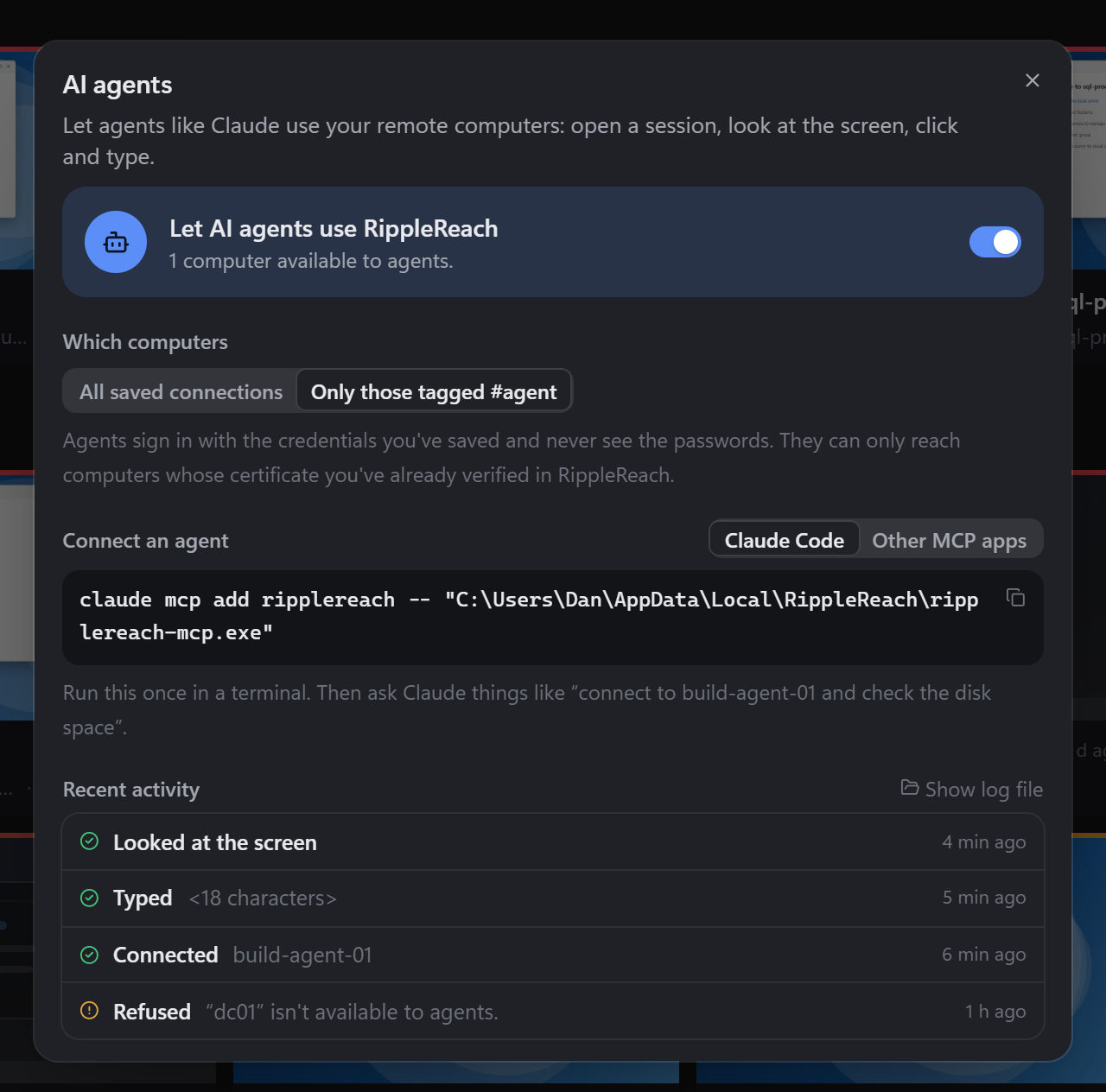
Let an AI agent take the session
RippleReach ships an MCP server, ripplereach-mcp. Agents like Claude can
list your connections, connect, take screenshots, click, type, press keys, scroll and
drag. One command adds it to Claude Code.
- Off until you turn it on, and it can be limited to connections tagged
#agent - Agents sign in with saved credentials and never see the passwords
- An agent never trusts a new certificate on its own
- Every action goes to an audit log. Typed text is logged as a character count.
Multiple monitors
Span one Windows session across all your monitors. It isn't in the app yet. Today, pop-out windows already let you put different sessions on different screens.
Try all of it for 14 days
No account, no card, nothing held back during the trial.
Download, connect, decide later.
Every feature is unlocked for 14 days. After that, a licence is needed to open sessions: $29 once, for up to 5 of your computers, with free updates. Your library, folders and settings stay usable either way.
The Mac app is signed with a Developer ID and notarized by Apple. The Windows installer isn't code-signed yet, so SmartScreen may ask before it runs the first time. Light and dark themes, following your system by default.
Every server you look after, one window away.
RDP connections in tabs, your Macs alongside them. Free for 14 days.
Download RippleReachRippleReach is built on IronRDP (MIT/Apache-2.0) by Devolutions and macrdp (MIT/Apache-2.0) by Clint Christopher Canada. Thank you. RDP is a protocol by Microsoft. RippleReach isn't affiliated with Microsoft or Apple.